An 8 × 10 print is easy to find a frame for. That doesn’t make it the right shape for every painting. A long landscape or a drawing with details close to the edge may lose something important when it is made to fit.
Print sizes make more sense in families: 8 × 12 and 16 × 24 share a shape; 8 × 10 and 16 × 20 share another. Once you know which family your artwork belongs to, choosing sizes becomes much less arbitrary.
 Frameit AI Create
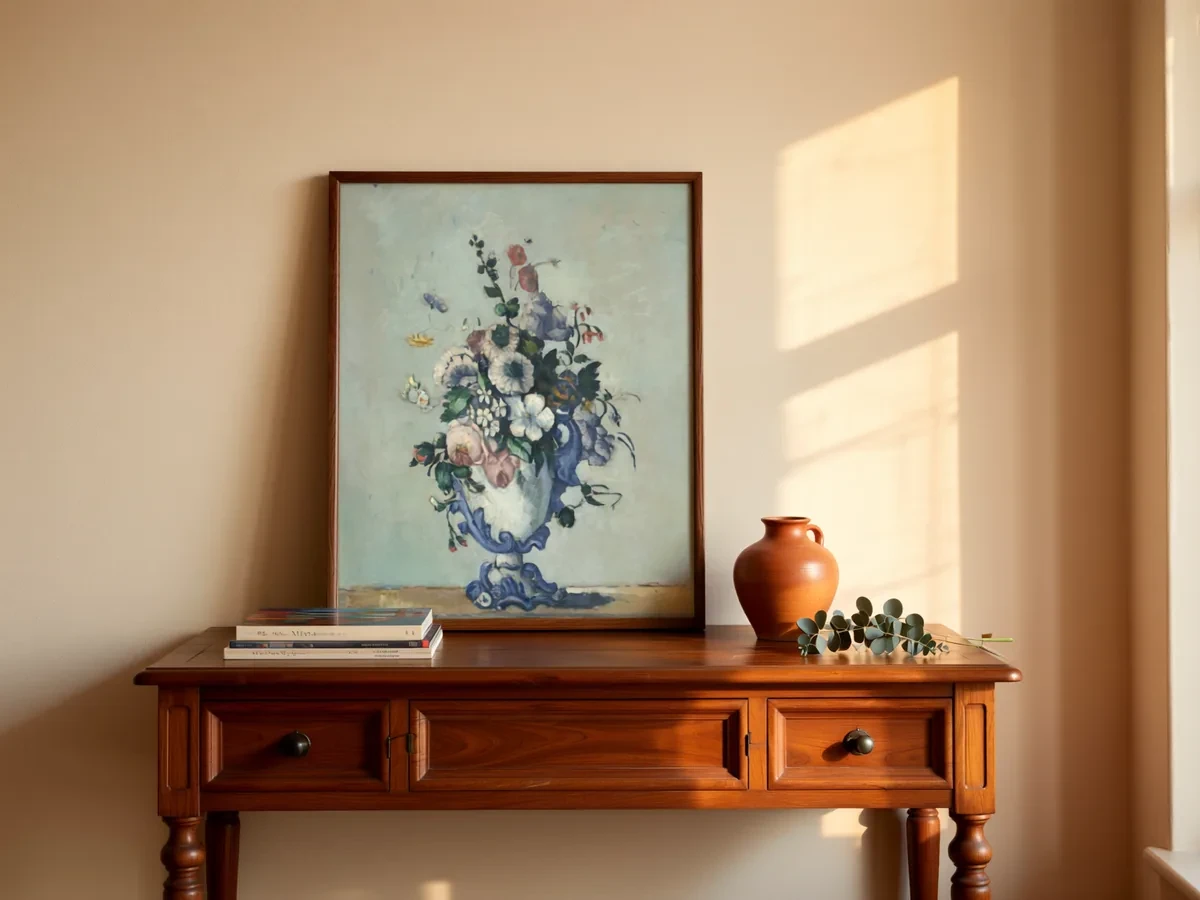
Original artwork: Paul Cézanne · Flowers in a Rococo Vase · National Gallery of Art
Art print sizes by aspect ratio
| Aspect ratio | Common sizes (inches) | Long side ÷ short side |
|---|---|---|
| 1:1 | 8 × 8, 10 × 10, 12 × 12, 20 × 20 | 1.00 |
| 4:5 | 4 × 5, 8 × 10, 16 × 20, 24 × 30 | 1.25 |
| 11:14 | 11 × 14, 22 × 28 | 1.27 |
| 3:4 | 6 × 8, 9 × 12, 12 × 16, 18 × 24, 30 × 40 | 1.33 |
| 5:7 | 5 × 7, 10 × 14, 20 × 28 | 1.40 |
| ISO A sizes | A5, A4, A3, A2, A1 | 1.41 |
| 2:3 | 4 × 6, 8 × 12, 12 × 18, 16 × 24, 20 × 30, 24 × 36 | 1.50 |
| 11:17 | 11 × 17 | 1.55 |
| 1:2 | 10 × 20, 12 × 24, 18 × 36 | 2.00 |
The ISO A sizes are the standard outside the US:
| Size | Millimeters | Inches (approx.) |
|---|---|---|
| A5 | 148 × 210 | 5.8 × 8.3 |
| A4 | 210 × 297 | 8.3 × 11.7 |
| A3 | 297 × 420 | 11.7 × 16.5 |
| A2 | 420 × 594 | 16.5 × 23.4 |
| A1 | 594 × 841 | 23.4 × 33.1 |
Each A size is half of the next size up, so every A size has the same shape: 1:1.41, the square root of 2.
How to find your artwork’s aspect ratio
Divide the long side by the short side and match the result to the last column of the first chart.
- A 30 × 40 cm painting: 40 ÷ 30 = 1.33, so it’s 3:4. It prints without cropping at 9 × 12, 12 × 16 and 18 × 24 in.
- A scan of 4000 × 5000 px: 5000 ÷ 4000 = 1.25, so it’s 4:5, which fits 8 × 10 and 16 × 20 in.
Cameras have their own ratios: most phone cameras shoot 4:3 by default, and most DSLR and mirrorless cameras shoot 3:2. Once you crop a photo of flat artwork to its edges, though, the artwork’s own ratio is what counts.
If you know which print sizes you want to sell, choose the surface before you start. For 8 × 10 and 16 × 20 in prints, paint or draw on a 4:5 surface, such as 12 × 15 in or 40 × 50 cm.
What happens when the ratios don’t match
When the artwork and the print have different ratios, there are three options: crop the artwork, print it with a white border, or let a mat cover the difference. Here’s how much changes in common cases, with the artwork scaled to fit the print’s width:
| Artwork ratio | Print size | Image size at full width | Result |
|---|---|---|---|
| 4:5 | 11 × 14 in | 11 × 13.75 in | 0.25 in of extra paper, or a tiny crop |
| 3:4 | 8 × 10 in | 8 × 10.67 in | 0.67 in cropped from the height |
| 2:3 | 8 × 10 in | 8 × 12 in | 2 in cropped from the height |
| ISO A | 8 × 10 in | 8 × 11.3 in | About 1.3 in cropped from the height |
| 4:5 | A4 | 8.3 × 10.3 in | About 1.4 in of extra paper |
The takeaway: 4:5 and 11:14 are close enough that a mat or a thin border solves it. A 2:3 artwork printed at 8 × 10 in loses a sixth of its height, which usually cuts into the composition. If your work is 2:3, sell 8 × 12, 12 × 18 and 24 × 36 in instead.
Pixels you need for each print size
A common guideline for sharp prints is 300 pixels per inch at the final size. Multiply each side in inches by 300:
| Print size | Pixels at 300 PPI |
|---|---|
| 5 × 7 in | 1500 × 2100 |
| 8 × 10 in | 2400 × 3000 |
| 11 × 14 in | 3300 × 4200 |
| A4 | 2480 × 3508 |
| 12 × 16 in | 3600 × 4800 |
| 16 × 20 in | 4800 × 6000 |
| 18 × 24 in | 5400 × 7200 |
| 24 × 36 in | 7200 × 10800 |
Large posters are viewed from farther away, so some print services accept a lower resolution at big sizes. Check your print service’s file requirements before you upscale anything.
For digital downloads, choose the ratios that preserve the composition before preparing files. There is no need to force the same artwork into five shapes to fill a size chart. The digital art prints guide covers file names and a print-size guide buyers can use.
Some sizes ask too much of the painting
Take a 2:3 botanical illustration with leaves near the top edge. A 3600 × 5400 px master can make a 12 × 18 inch print at 300 PPI, and a smaller 8 × 12 version without changing the composition.
An 8 × 10 version is a different decision. At 8 inches wide, the image would be 12 inches tall; filling the sheet crops away 2 inches. Fitting the whole image instead leaves white space at the sides. Either can work, but the choice deserves a look before it becomes a product option.
There is no need to offer every popular size. A small range that preserves the composition is easier to show accurately. Where the sheet includes a border, a description such as “8 × 10 paper, image approximately 6.67 × 10, white side borders” gives buyers the measurement they need.
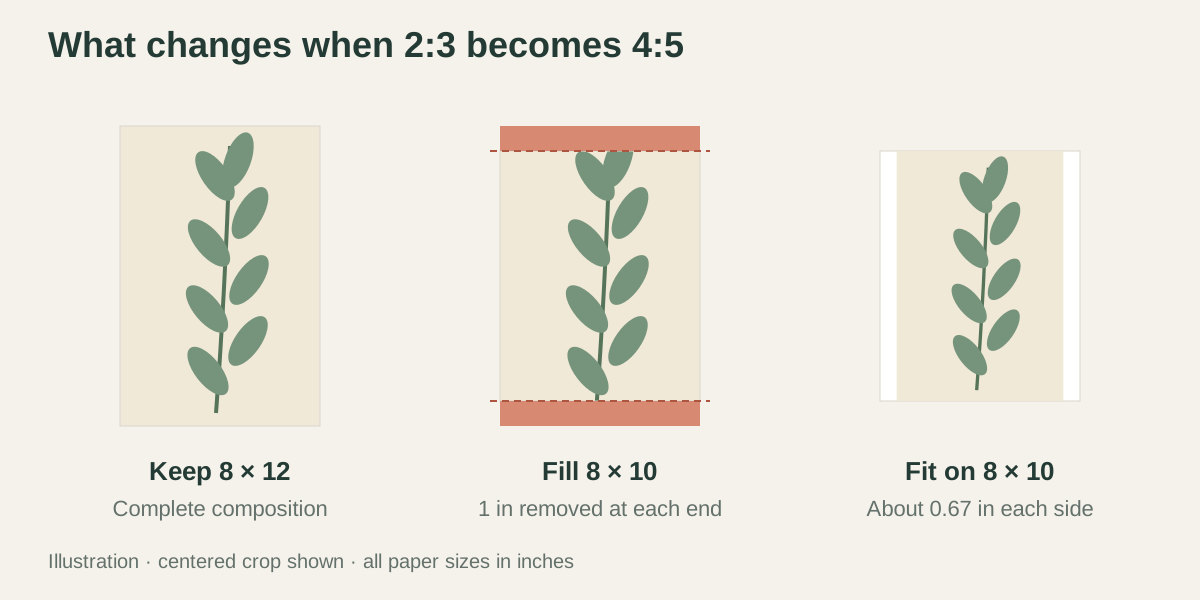 Crop and border illustration
Use the final crop in the listing too
Once you choose an 8 × 12 print, or an additional bordered 8 × 10 version, save each file separately. The plain artwork image, framed preview and delivered file should show the same version. A leaf visible in the preview should still be there on the buyer’s print.
If you use Frameit for the framed presentation, import that final file. Then order a proof from your printer and check the color, fine lines and edges on paper. A screen preview cannot replace the proof.