You have a painting ready to share and a good photo of it. What you don’t have is a beautifully lit room, an empty wall and three different frames to try. An AI room image is an appealing shortcut. But if you already use ChatGPT, is there a reason to use Frameit as well?
For artists who regularly need to show their work in a room, we’d start with Frameit AI Studio. Its templates, frame picker and composition controls are built around that job. For a more open-ended visual idea, we’d start with ChatGPT. The useful comparison is how each fits the work you need to do; a prettier result still has to earn its place beside your original artwork.
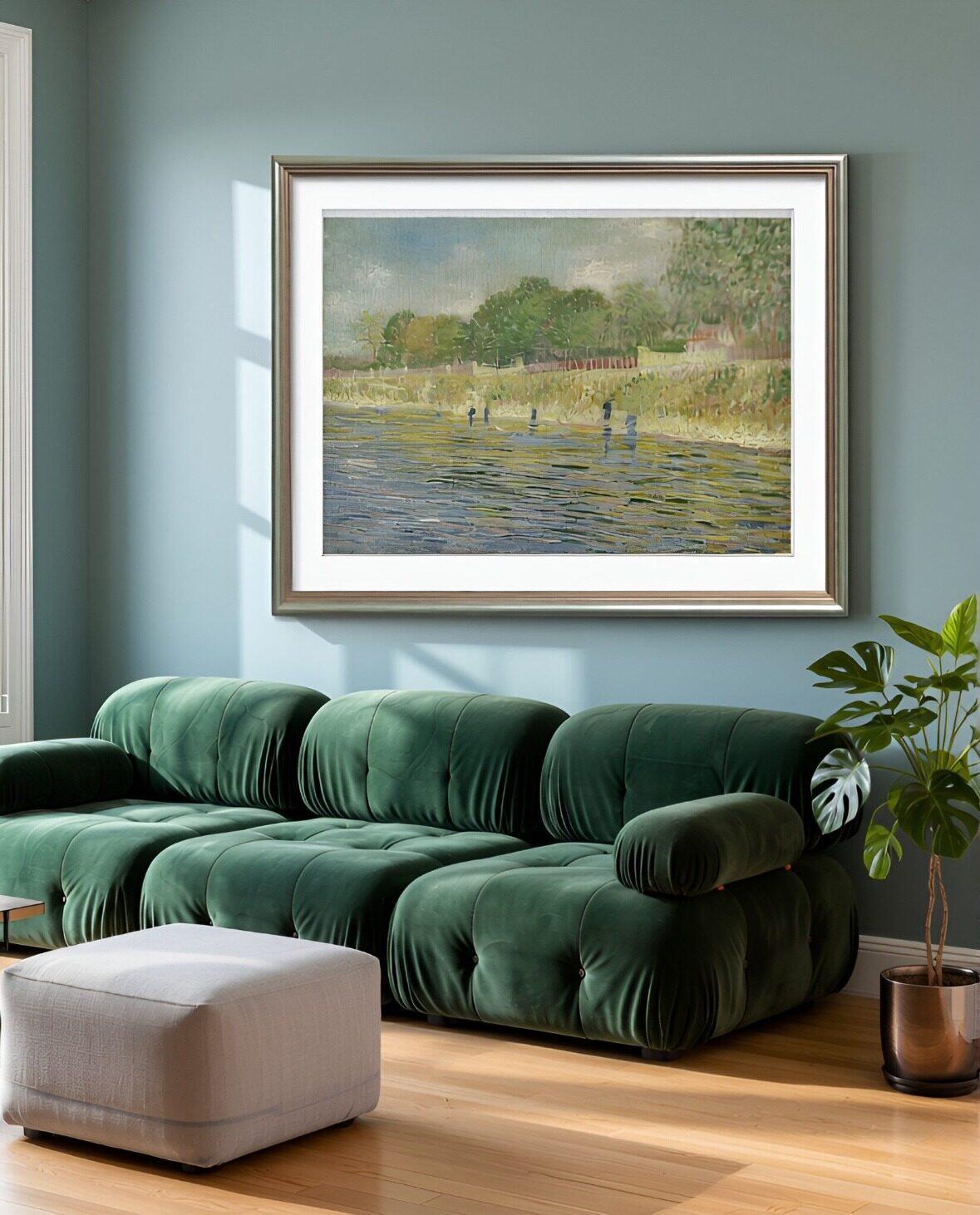 Frameit AI Create
Original artwork: Vincent van Gogh · Bank of the Seine · Van Gogh Museum
When the painting is ready, but the room isn’t
There is a lot hiding inside “take a photo of it on a wall.” You need space, suitable light and a setting that works with the painting. If you’re showing several pieces, moving furniture and swapping frames can take over the afternoon.
Frameit AI Studio starts with a photo of your artwork. Choose a style template and it generates a setting around the piece. You can also describe a room you have in mind. The template route is useful when you recognize what you like more easily than you can put it into words: a quiet bedroom, for example, or a room with warmer materials.
The scene animation below follows the same painting from a kitchen to a bedroom and a living room. Each setting gives you a different way to present the work.
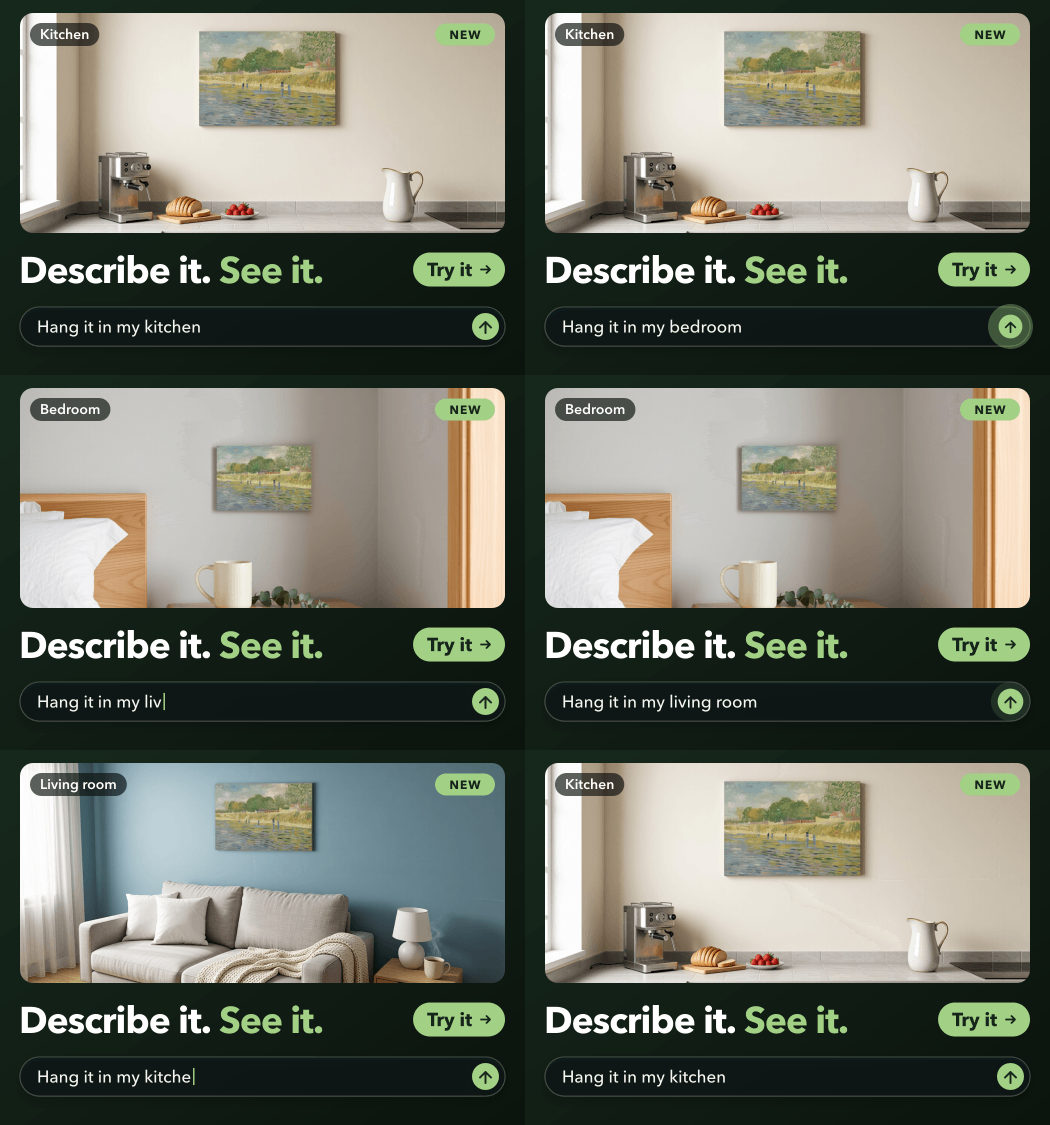 Frameit AI Create
Original artwork: Vincent van Gogh · Bank of the Seine · Van Gogh Museum
ChatGPT also accepts uploaded images as visual references. Asking it to place a painting in a room is a reasonable use of that capability. Frameit’s appeal here is having an artwork-specific starting point ready in the app.
For a portfolio update, that may be enough: find a setting that suits the work, then spend your attention on the few details that matter.
Choosing a frame is easier when you can see the choices
“A thin gold frame” sounds specific until you imagine how many different frames it could describe. Bright or muted? Flat or rounded? A narrow border around the painting, or a wider frame with a white mat?
Frameit’s Frame control lets you browse frames and mats and choose the combination you want to try. You can select them before generating a scene or change them on an existing result. That gives an undecided artist something concrete to respond to.
Perhaps black makes the drawing feel too severe. Wood looks gentler, but the extra white space of a mat is what finally makes the piece feel finished. These are small visual decisions; being able to choose from visible options makes them easier to explore.
ChatGPT can work from a description or reference and accept follow-up editing requests. Its image-generation guide covers both creating and editing images. If you enjoy describing a particular look, that can suit you well. For browsing framing options, we’d choose Frameit’s picker.
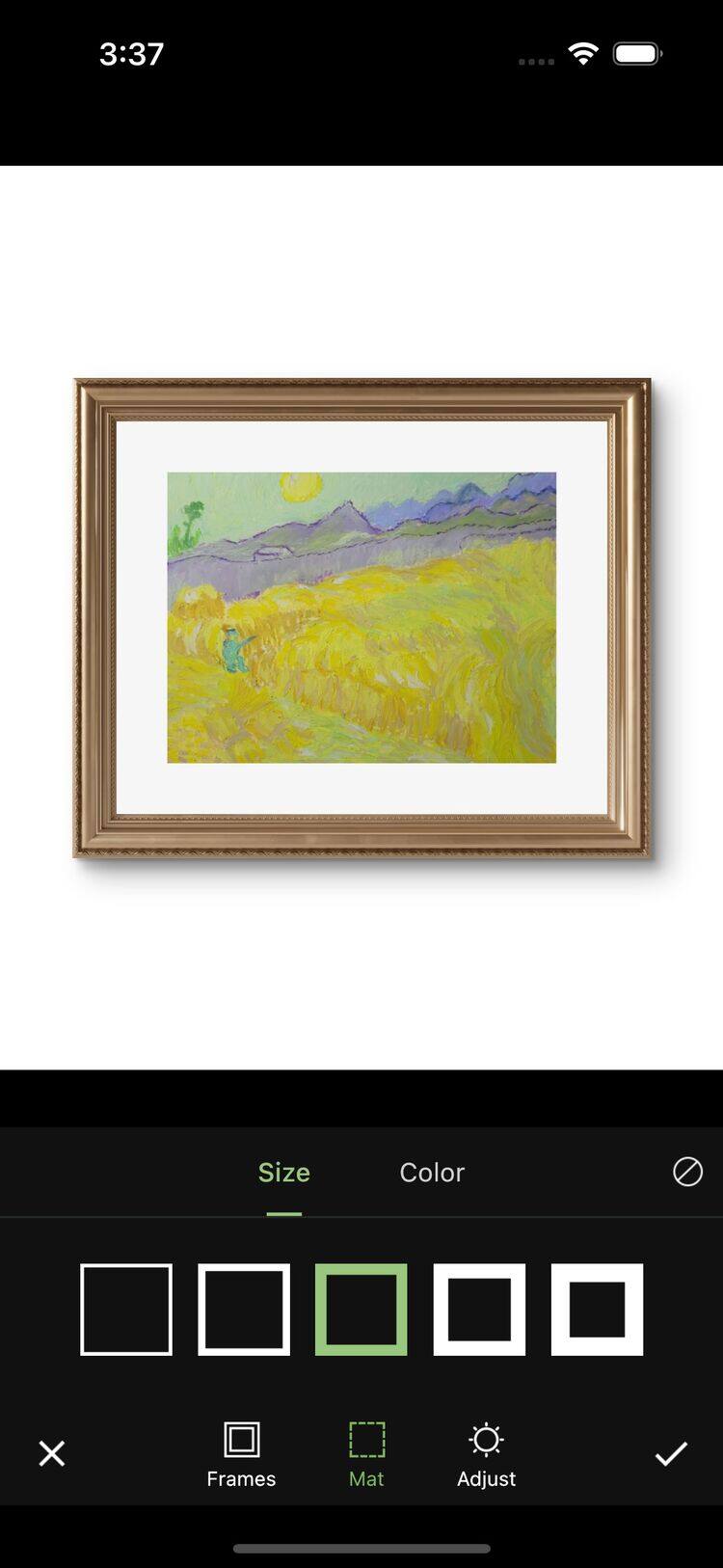 Frameit Editor
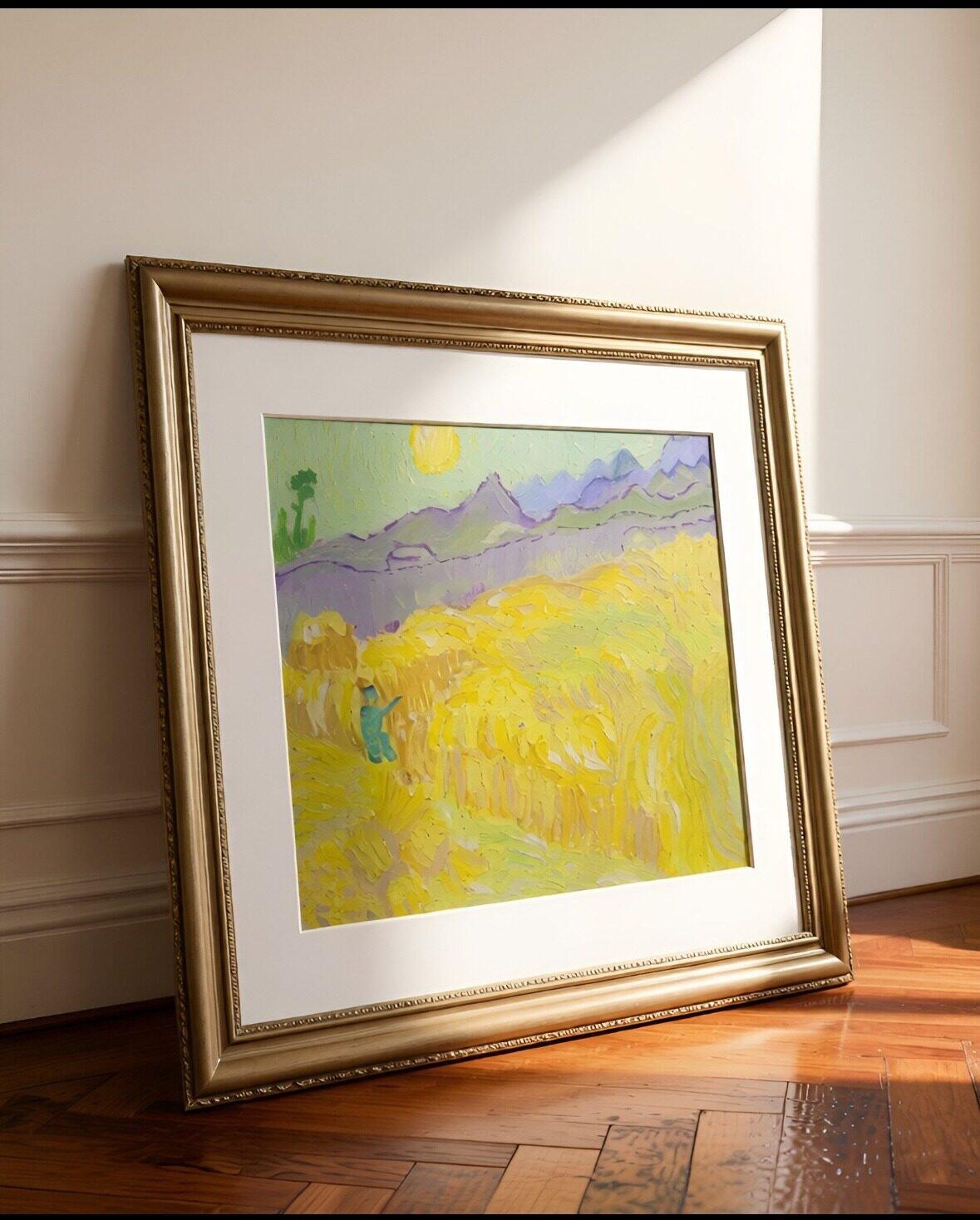
Here is a framing example from Frameit: a slim black frame, followed by a gold frame with a white mat. Notice how much more space the border occupies, and how the mat separates the yellow painting from the gold around it.
| Black frame | Gold frame with a white mat |
|---|---|
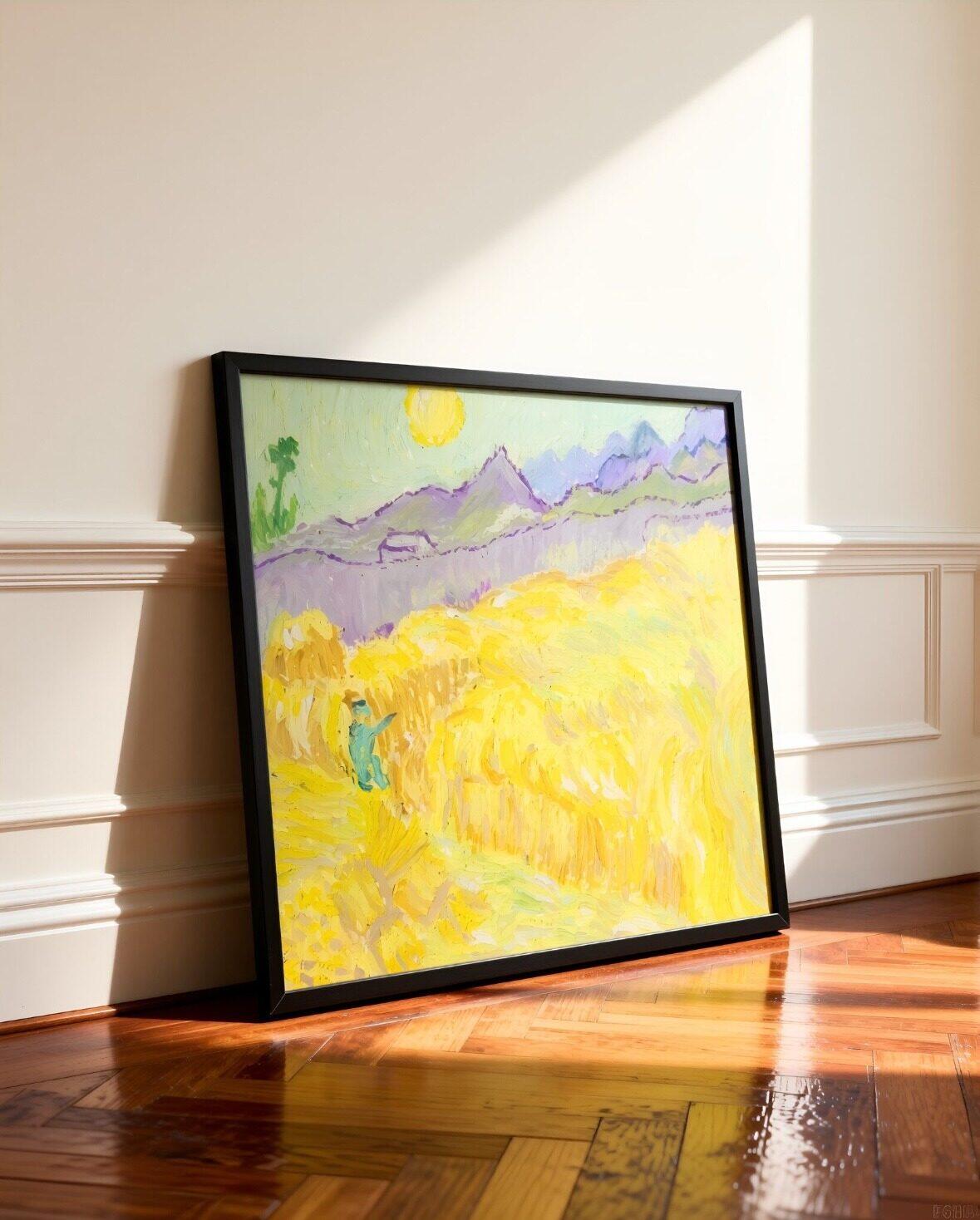 Frameit AI Create |
 Frameit AI Create |
Original artwork: Vincent van Gogh · Wheatfield with a Reaper · Van Gogh Museum
A digital preview can help you narrow the choices before visiting a framer. Ask to see the actual moulding and mat before ordering; the screen image is a visual reference for that conversation.
Sometimes you just want to move the painting
The room looks good. The painting is a little too high, or too small to read on a phone. You can see where it should go.
In Frameit’s Size panel, you can drag the artwork to another position and pinch to change its visual size before generating the revised image.
This is where we’d expect Frameit to feel particularly useful for recurring work. The change is spatial, and you can show it with your fingers.
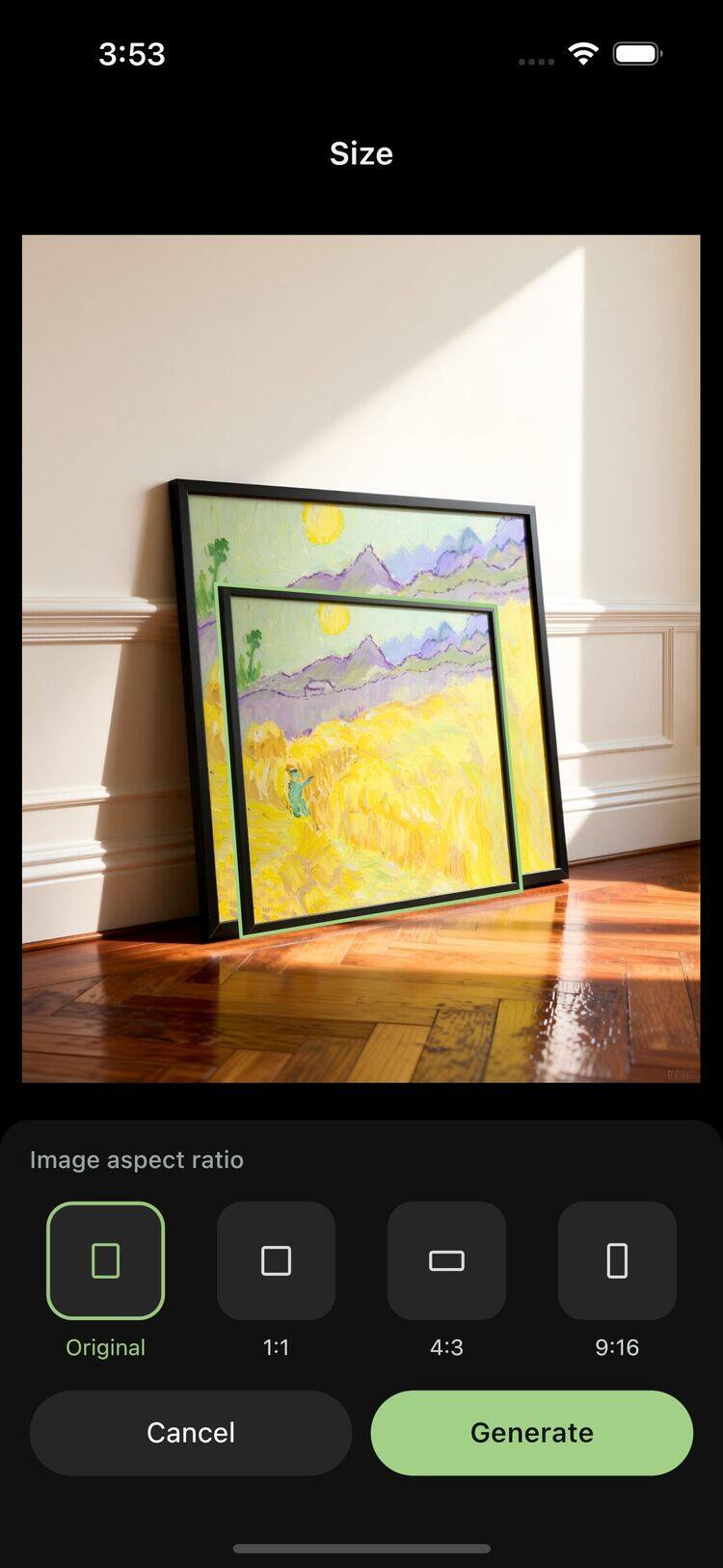 Frameit Editor
The animation shows how a smaller artwork leaves more wall visible around it. The room starts to feel different even though the subject of the painting stays familiar.
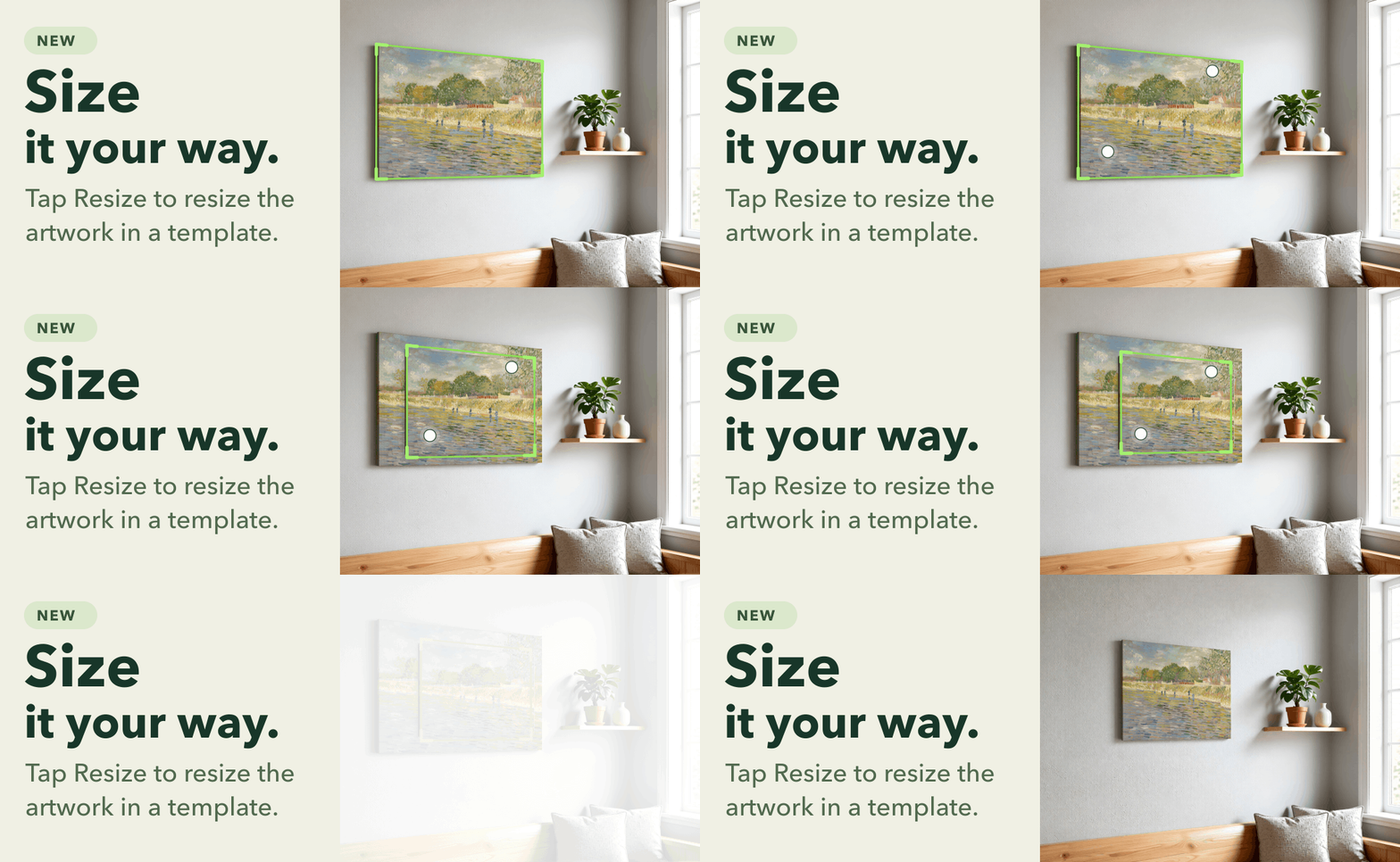 Frameit AI Create
Original artwork: Vincent van Gogh · Bank of the Seine · Van Gogh Museum
You can also choose a square, 4:3 or 9:16 composition, with AI filling the added space. A room view for your portfolio and a tall image for a Story don’t have to share the same crop.
Moving the painting in an AI scene changes how large it looks within that image. To judge whether a particular print will fit your wall, use a preview based on real measurements.
ChatGPT makes sense when the idea is still wide open
Perhaps a room image isn’t quite what you want. You’re considering an illustrated announcement for a show, an unusual backdrop or a visual idea that hasn’t settled into a format yet. ChatGPT’s broader image-generation and editing scope makes it a reasonable place to explore those directions. OpenAI’s overview includes illustrations, banners and backgrounds among its uses.
Our recommendation would change with the brief. For an artist preparing room views of finished work every week, Frameit’s dedicated controls have a clear purpose. For someone experimenting with an occasional visual concept, an existing ChatGPT workflow may already be enough.
You can also use both. There is little value in moving a task to another app when the one you already use gives you a result you’re happy with.
Which one makes the better-looking image?
We haven’t run a matched image-quality test between the two, so we wouldn’t call a winner on realism or artwork fidelity. The examples in this article show Frameit; they aren’t a side-by-side test.
For an artist, the most important part of the image is still the artwork. Compare the result with your original photo: the signature, the edge of a shape, a fine line, the relationship between two colors. A lovely room cannot compensate for a painting that has changed. OpenAI’s own image-editing guidance notes that repeated edits can alter details intended to remain unchanged.
Keep clear photographs of the real piece alongside any room preview. They answer a different question: what the buyer will actually receive.
What we’d choose
| What you need today | Where we’d start |
|---|---|
| A room preview of finished artwork, with a style to choose from | Frameit AI Studio |
| A way to compare frames and mats or adjust the artwork’s position by hand | Frameit AI Studio |
| A visual concept that could become an illustration, backdrop or announcement | ChatGPT |
If your regular task is “help people picture this artwork in a room,” Frameit AI Studio is the one we’d reach for. It puts the choices you keep making—setting, frame, position and composition—within reach of the artwork itself.
Start with one piece you know well. Try the frame you would actually choose, make an image for the place you plan to share it, and see whether the process feels worth repeating with your next painting.