An artwork takes on a different feel when you give it a place to hang. A wood frame above a sideboard might bring out the warm colors; a pale wall and a little more space might make the same painting feel quieter.
Frameit AI Studio lets you try those possibilities with a photo of your work. It is useful when you need a room image for your portfolio or shop, want to compare frames before choosing one, or need another composition for a social post. You can explore the presentation before setting up a physical display.
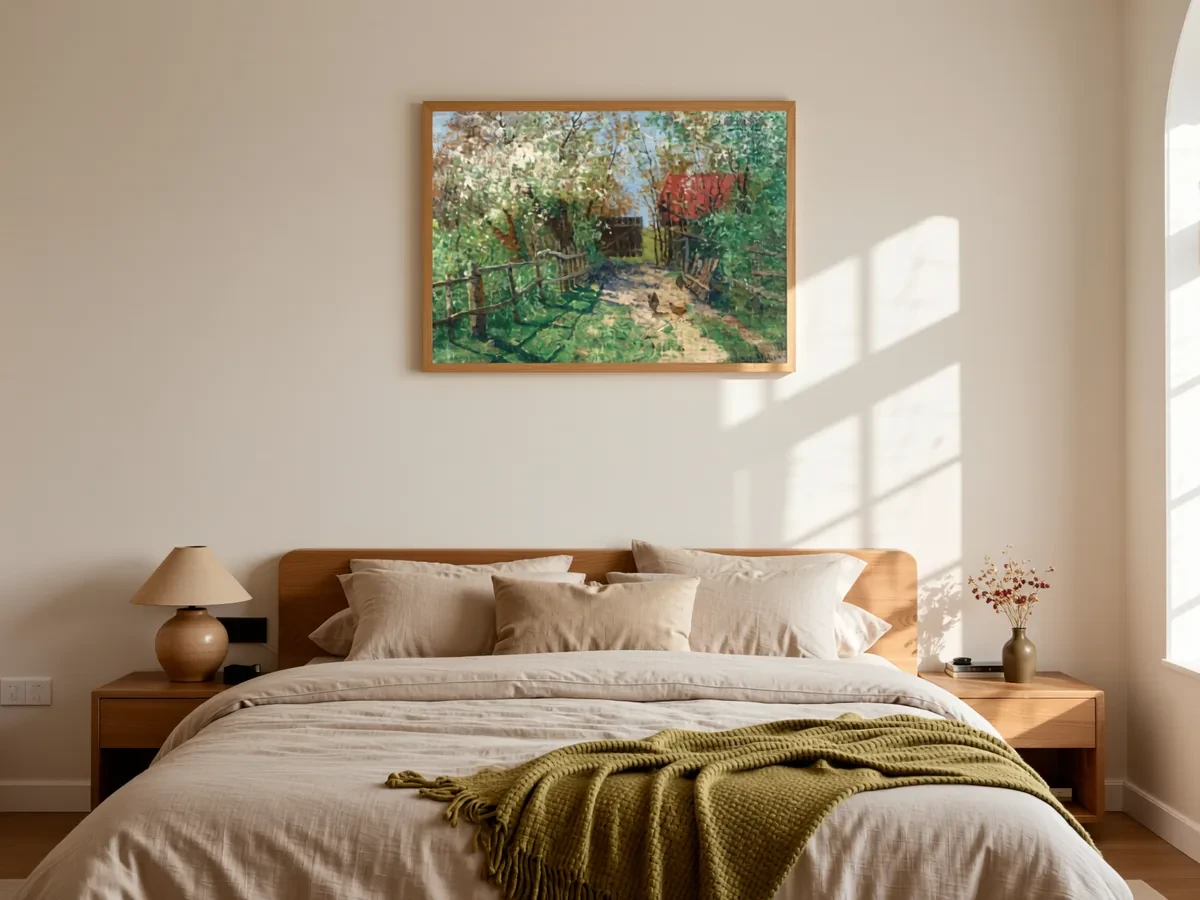 Frameit AI Create
Original artwork: Elisabeth von Eicken
When you have the artwork, but not the room
A clear photograph may be all you have when a piece is ready to share. Perhaps the studio wall is crowded, the light is awkward, or you haven’t framed the work yet. Arranging a room photograph can become a project of its own.
AI Studio can create that display setting from the artwork photo. You can see a print above a desk or a painting in a living room without finding and staging those spaces for a shoot. For someone browsing your work, the extra image offers a way to imagine where it could belong.
A style template also gives you a starting point when you don’t know how to describe an interior. From there, you can change the parts that don’t suit the work. A room preview adds context alongside the original photograph; real close-ups still show the paper and paint.
A room you can picture
Perhaps you already know where you would like the painting to hang: above a walnut sideboard, on a warm white wall, in soft daylight. That is enough of a starting point for the room description in AI Studio. You don’t have to invent a long prompt full of design terms.
If you have no particular room in mind, the style templates give you somewhere to begin. Upload your artwork through Start with a photo, choose a style, and see what you like about the result. It might be the light rather than the furniture, or the space around the frame rather than the room as a whole.
A clear photo of the artwork gives you a better starting point. Crop away the table or tape around it, while keeping any paper border that belongs to the piece. The photography guide covers that part.
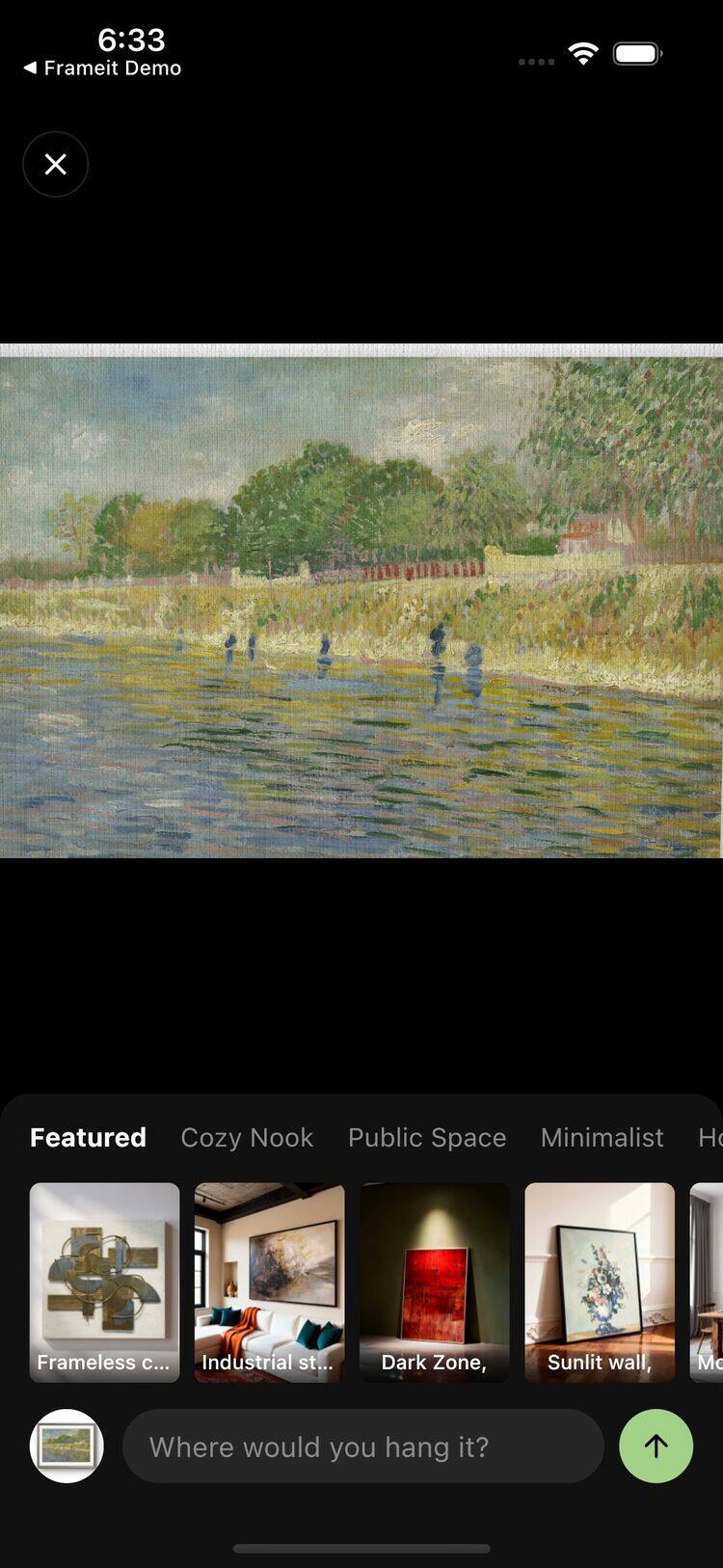 Frameit Editor
When the room is almost right
Sometimes the room is nearly right. The wall is a little too cool, or the light feels harsh beside a soft watercolor. It is worth trying that one change before choosing a completely different setting.
In Edit, a request such as “Change the wall to terracotta” lets you continue from that result instead of setting up a new image from the beginning. A warmer wall might bring out the browns in the painting; it might also compete with them. Seeing the two together makes the choice easier than trying to imagine it.
Earlier results remain available as new ones are added. As you compare, look back at the original artwork too, especially lettering, signatures and fine lines.
See the whole frame before choosing one
A slim black frame can make a pale landscape feel more graphic. A wood frame may sit more quietly beside it. Gold might be exactly right for the warm light in the painting, or a little too much.
Choosing from a small frame sample leaves quite a lot to the imagination. The Frame option lets you try different frames and mats around the whole artwork in a generated result, helping you narrow the options before ordering a physical frame. Keeping the rest of the scene similar makes the differences easier to notice. The question is where your eye goes first: into the painting, or straight to the border?
A preview you like is a useful reference to take to a framing shop. The actual moulding, mat and measurements still need to be chosen there. There is more on those decisions in choosing a picture frame.
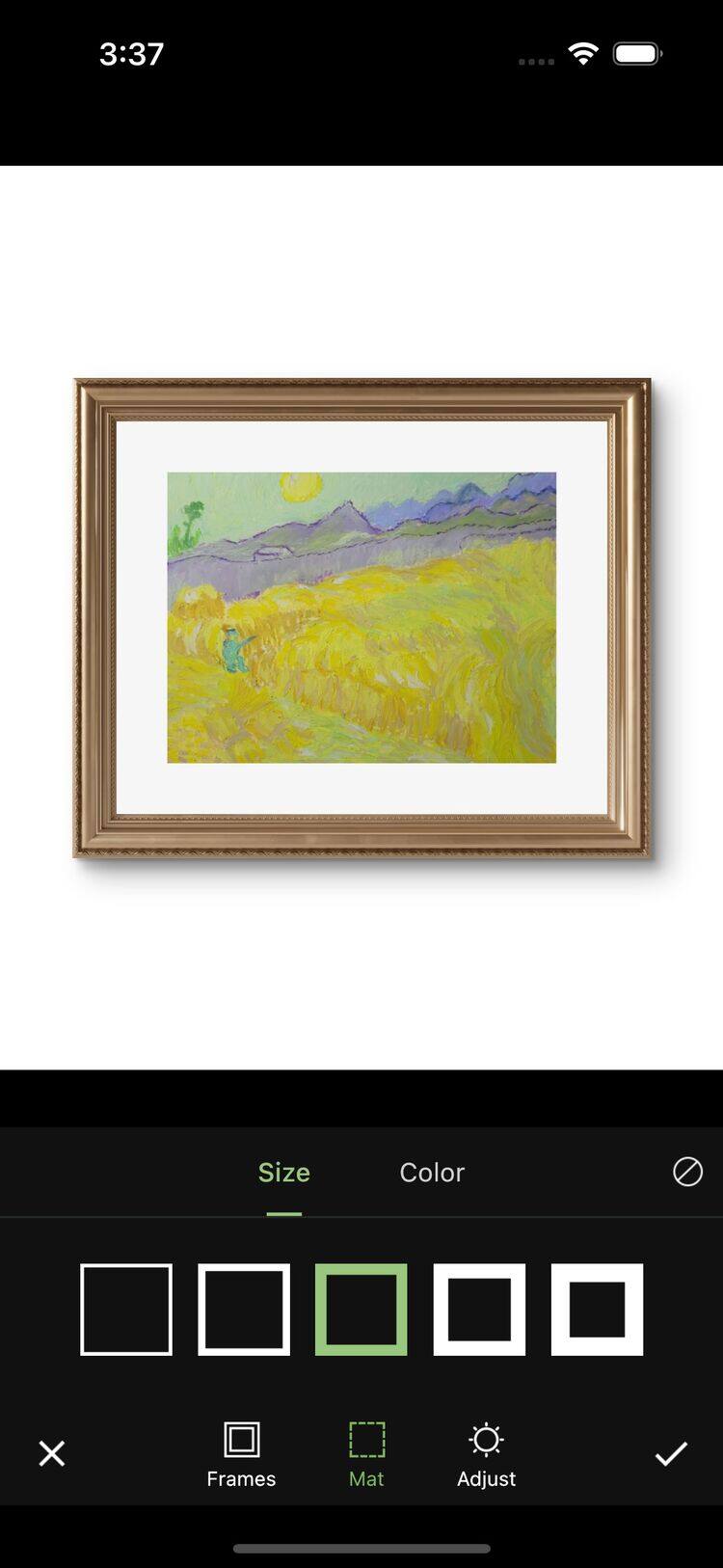 Frameit Editor
A second composition for a different use
A wide room view may work well in a portfolio but leave the painting tiny in a phone-sized post. Cropping that image into a tall Story can cut off the frame or remove the part of the room you wanted to show. The artwork is the same; the image needs a different composition.
In Size, you can move the artwork, pinch to change its visual size, or try a different image shape before generating a new result. AI can fill the added space, giving you another composition to work with from the existing result. A square version can suit a compact framed view; a 9:16 version gives you more height for a Story. Check the new surroundings and artwork details before sharing.
These are choices about the picture you are making. For the physical size of a print on a wall, use Frameit’s real-size preview or a measured outline on your own wall.
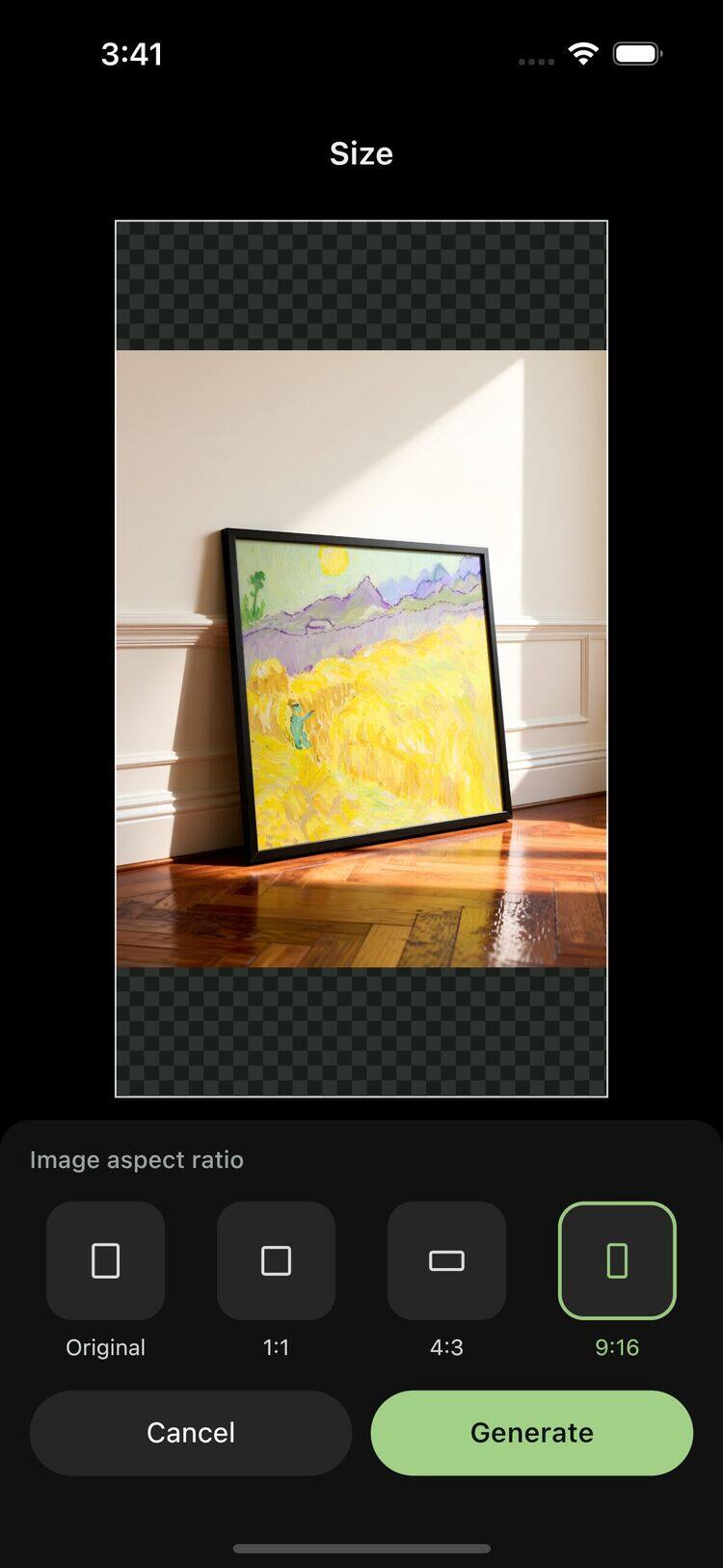 Frameit Editor
Keep the version that suits the work
It is easy to keep making rooms. After a few versions, look at them small and side by side. The most elaborate interior may not be the one in which the painting looks best.
Save a room view you like and a clear view of the artwork. Together, they can show both the piece and a possible place for it. For a shop, keep real photographs of the paper, paint and edges alongside any display preview, and follow the platform’s image rules.
You can try your own work in the Frameit app. One painting is enough to see how much the setting changes your impression of it.